For small campsites
A clear reservation system for your small campsite
With, for example, five to fifteen pitches, you are often the owner, manager and first point of contact at once. A regular guest calls for their usual pitch while a new reservation arrives online. Add those stays to the same planning overview in LycamPe and keep track of the spaces still available.
Create an account and add your campsite step by step.
At a glance
Suited to a small campsite
Every pitch counts
Give your pitches names you recognise.
Keep your regulars
Add the bookings they make by phone too.
Your own rhythm
Choose your opening periods and keep pitches free when needed.
Your own character
Let guests book through your own website too.
Take a closer look at LycamPe
See which pitches are free at a glance
The booking calendar shows reservations alongside blocked dates. You can see what is planned for each pitch, including bookings you have added yourself.
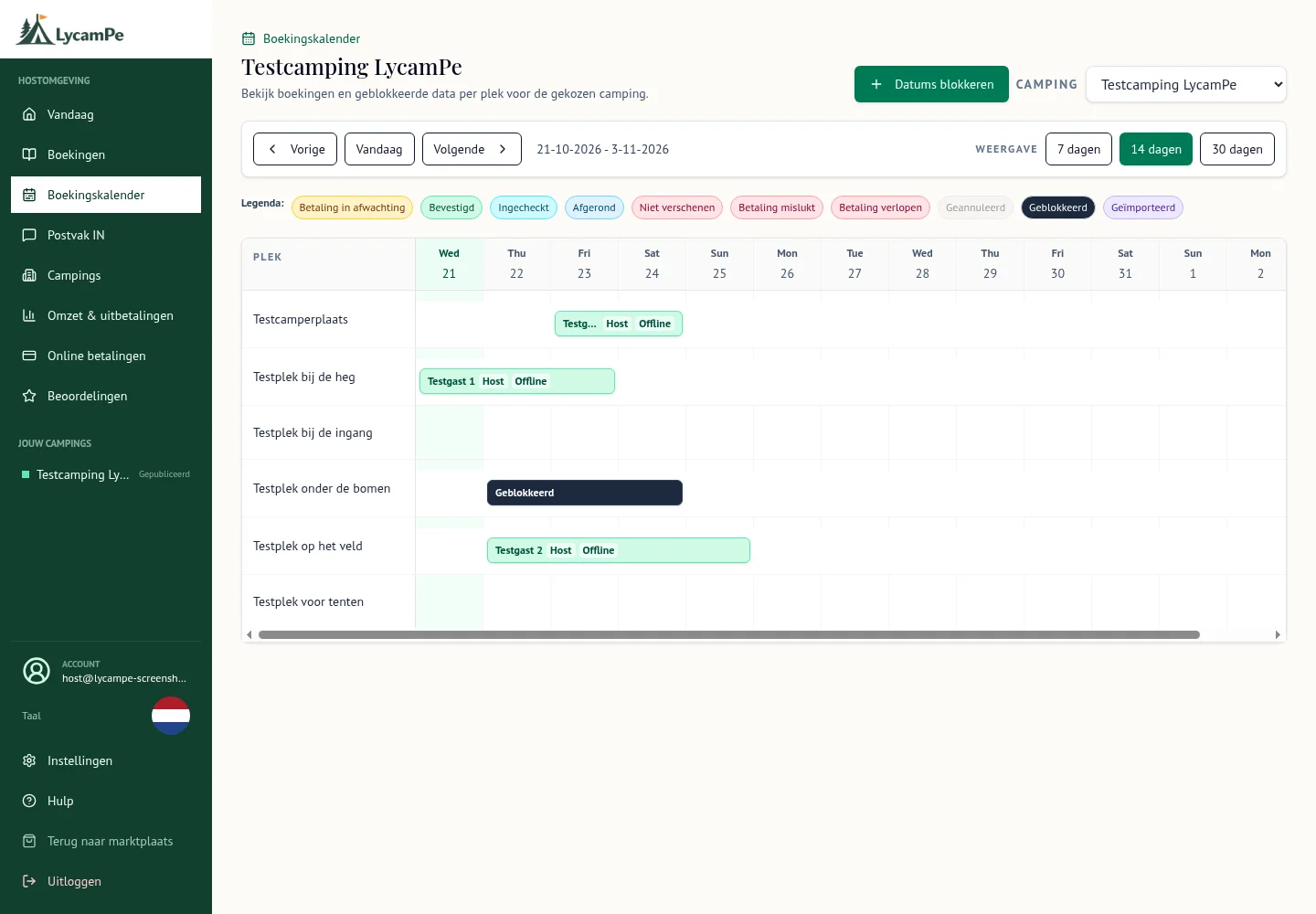
A screenshot of the real LycamPe interface using test data. Names, bookings and amounts are fictional. The interface shown is in Dutch.
View the larger image (new tab)When pitches are few, every booking matters
A couple with a small tent may want a sheltered corner, while a guest with a caravan needs more room. Give your pitches recognisable names and describe what fits. Guests can then choose from the spaces you actually want to offer them.
Show which facilities are included with a pitch. A photo of the field is a good start; details about the particular pitch help a guest decide whether it suits their stay.
Regular guests can still call
A regular guest calls to book their favourite pitch by the hedge while you are busy out on site. Agree the stay as you normally would, then add the reservation yourself in LycamPe. That pitch appears in the same planning overview as your online bookings.
You can still have a chat and arrange a stay together. Enter the reservation afterwards so your partner or a member of staff can see who is coming if they take over for you.
Keep pitches free when you need them
Is a corner of the field too wet for guests after rain? Would you like to keep a few pitches free for family? Close those pitches for the relevant dates in LycamPe. You can keep offering the other spaces.
That helps the calendar reflect what is happening on site. If your season starts later or ends earlier, update those dates in LycamPe too.
Show the character of your small campsite
What brings your guests back? The view from their pitch, the surroundings or your personal welcome? Describe what a stay with you is like and use photos of your own site to show it.
Include practical information too: how guests arrive, which facilities are available and your house rules. They can then decide whether your campsite suits the holiday they have in mind.
Prepare at a pace that suits a small business
You maintain your campsite information, prices and available dates yourself. That can suit a small start: set up the pitches and opening periods you want to begin with.
Listing your small campsite is completely free. Add your details and first pitches, then look at how your listing appears. Your account shows the steps still needed before guests can book.
Start with the pitches you want to offer
Create an account and fill in the information about your campsite. Then add the pitches and dates you want to offer online. Check your photos, description and available dates when you are ready to publish.
Keep your own website too. Once your campsite is published on LycamPe, you can add the LycamPe booking form to it. Your story stays your own, and visitors have somewhere to reserve a pitch.
Ready to get your campsite started?
Listing your campsite is completely free. Create an account and add your photos, pitches and prices.